
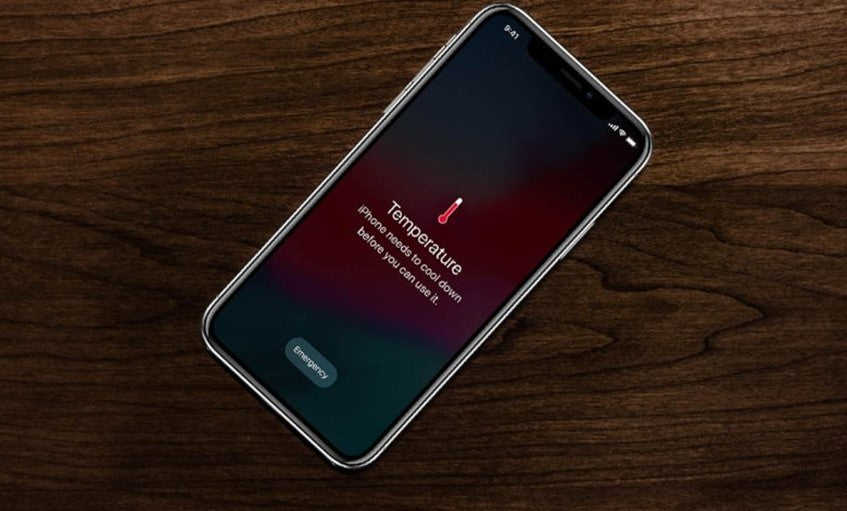
A mobile phone can overheat for several different reasons. It may be caused by a hardware issue, such as an old battery. However, overheating can also result from excessive software use, malicious software or viruses. But how can you identify why your phone is overheating, and how can you bring its temperature down?
One of the main problems caused by your phone overheating is reduced performance. Smartphones now warn you when they overheat, and you can configure them to take preventive measures automatically. The rise in temperature may come from the battery cell, the surrounding environment or even the processor itself while it is running.
When your phone is running hot, its battery drains more quickly, the processor slows down and some apps may not run properly. In some cases, devices have even been known to explode. So, for both your device's safety and your own, you should keep your device cool.
Why does a mobile phone overheat?
Overheating may be a sign of a virus. However, something else could be affecting your device. You may be able to identify the cause of overheating while you are using your phone. If you notice that your phone overheats when a particular app is running, that app may be the cause of the problem. Other causes may include:
- Keeping your screen brightness very high for a long period of time
- Running too many apps at the same time
- An app overloading your phone's system
- Games with demanding graphics that your device struggles to handle
- Your phone struggling to connect to a weak Wi-Fi or Bluetooth signal
- Your phone case not allowing enough airflow
If your phone overheats even when you have not used it for some time, there may be a different type of problem, for one of the following reasons:
- An app is using too many resources
- The charger or charging port may be damaged. In this case, the TheFixers team can run a diagnostic check and repair your device in just a few minutes
- You may have installed malicious software that is carrying out unauthorised tasks in the background
Is there a virus on your phone?
There are several ways to find out whether your phone has been infected with a virus. If overheating is a rare occurrence, there is no reason to worry. However, if you notice it happening frequently, there is a greater chance that your device has been infected with a virus.
In this case, it is a good idea to back up your files and data to make sure you do not lose the information stored on your device. Bear in mind, though, that creating a backup may also copy the malware that has infected your phone.
How can you cool down your device?
When you realise that your phone has overheated, the first thing you should do is switch it off. If it is charging at the time, unplug it, remove its protective case and place it in front of a fan or on a bag of frozen food (ideally protected by some wrapping) until its temperature has dropped enough for you to use it again.
Then restart it and reduce the screen brightness. Over the next few days, monitor its performance and watch for any further overheating.
How can you prevent your phone from overheating?
When downloading apps or files, make sure they come only from trusted sources that are easy to verify.
To take proper care of your device, you need to know which apps and functions it can handle in everyday use. By staying within these limits, you can significantly extend your device's lifespan.
You can also follow these tips to get the most out of your phone:
- Use accessories made by authorised companies and supplied by certified retailers
- Try to avoid using your phone as your only entertainment device, especially if you play lots of games or stream large amounts of high-quality video
- Treat suspicious or unverified apps with great caution
- Uninstall apps and delete files you do not use or need
- Avoid clicking on pop-ups or banner adverts. These can often be Trojans designed to exploit your personal information
- Download apps that allow you to monitor your device's health
- Look out for any increases in data usage or signs that may indicate unusual activity on your account
- Keep your phone out of direct sunlight and away from sources of extreme heat
Protecting your phone does not need to occupy your thoughts all day. Establish safe habits and practices so that your choices naturally protect you from situations that could cause damage. Visit the TheFixers blog for advice on keeping your phone safe and protected, and whenever your device needs a repair or a fix, our team of experienced technicians is here to help.




Share:
New rumours suggest Apple is planning to release the iPad mini 6
How to Guide: Share your iPhone health data with your family or doctor