
The release of the latest major iPhone software update, iOS 16.4, brought brand-new emojis, new accessibility features, changes to key apps such as Apple Books, HomeKit and Podcasts, and much more.
However, one of the most useful new additions is Voice Isolation.
This feature first arrived with iOS 15, changing how the iPhone's built-in microphone works. The problem, however, was that the feature could only be used for FaceTime calls and certain third-party apps. Users therefore asked Apple to bring the feature to regular phone calls too.
Your iPhone will... hear only your voice!
The company has now officially brought the microphone's «Voice Isolation» mode to regular calls over mobile networks in iOS 16.4. What does this mean? When you enable the feature, the iPhone will «focus» on your voice, automatically cutting out all the background noise picked up by your microphone. For example, if you are talking while walking down the street, the person you are speaking to will not hear cars and passers-by, only your voice.
How do you enable Voice Isolation?
As this is an iOS 16.4 feature, you will need to have this new version of the operating system installed. If your iPhone is running iOS 16.4, you can enable Voice Isolation for regular calls over mobile networks by following these steps:
- Start a call with someone.
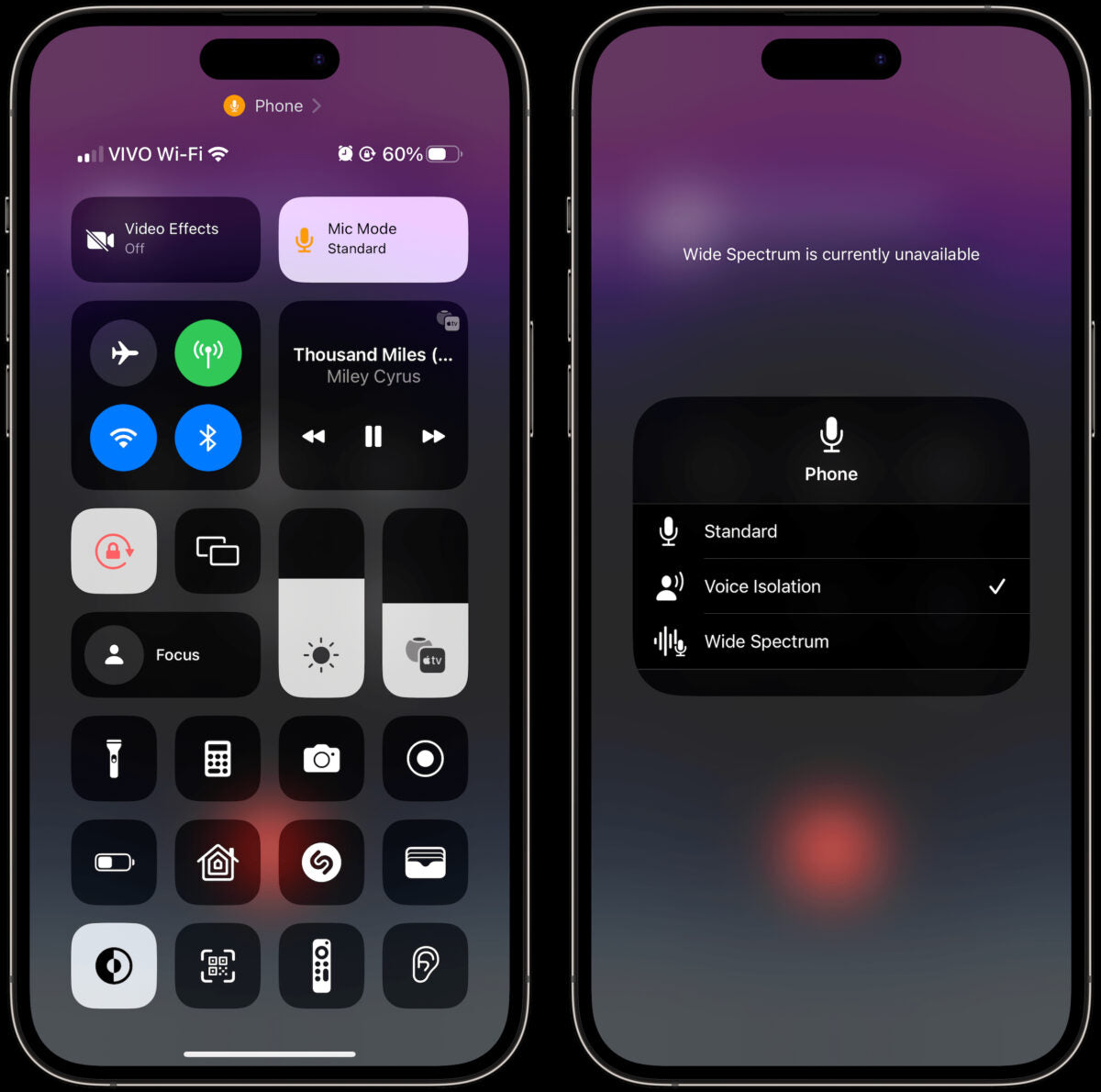
- During the call, open Control Centre, as shown in the image below.
- Select Mic Mode.
- From the list that appears, choose the Voice Isolation option.
In case you are wondering, the Wide Spectrum feature also shown in the image is not available for mobile phone calls. In this mode, the iPhone does the exact opposite and amplifies all surrounding sounds.





Share:
Huawei’s Health app is «gone» from the Play Store -How to download it
C12 Plus: Nokia’s new «value for money» smartphone