
What could be more annoying than slow internet.. Let's face it, we've all been frustrated at some point by fluctuating network speeds at home. Things are even worse for those working from home, as this also affects productivity. So if you don't want to find yourself in this situation again, upgrade your home network with these recommendations from TheFixers.

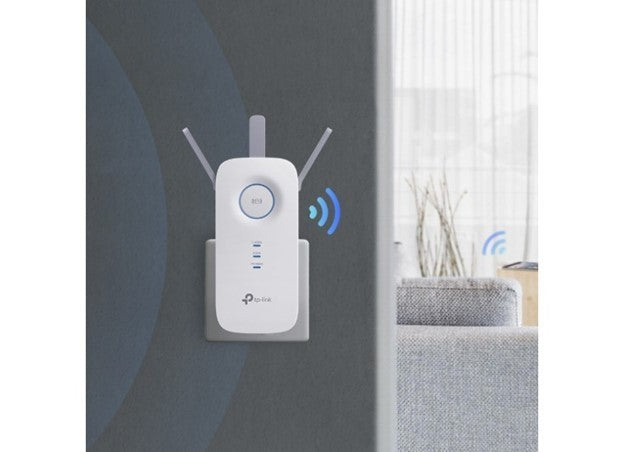
The TP-LINK WIFI RANGE EXTENDER (RE450) is an extender with WiFi coverage of up to 1.115 square metres. It features three adjustable external antennas, which provide reliable connections and optimal coverage. The Gigabit Ethernet port acts as a wireless adapter, allowing you to connect a wired device to your network at Gigabit speed. AP mode lets you create a new WiFi access point to enhance your wired network, while Intelligent Signal Light technology helps you find the ideal location for the best possible WiFi coverage.

Another option is the TP-LINK WIFI ROUTER (ARCHER C6 V2), a wireless router that supports simultaneous 2,4GHz connections at 300Mbps and 5GHz connections at 867Mbps, for 1200 Mbps of total available bandwidth. It features 4 external antennas and one internal antenna for highly stable wireless connections and maximum coverage, further enhanced by Beamforming technology. Meanwhile, thanks to TP-Link Tether, managing your network is easier than ever. It also lets you create a new WiFi Access Point, so you can share your wired network with other wireless devices.

Finally, with the TP-LINK WHOLE HOME WIFI (2 PACK) - DECO M4 (AC1200 V2.0) you can be sure you won't get stuck anywhere. Thanks to advanced Deco Mesh technology, the separate units work seamlessly together to form a unified network with a single network name. Devices automatically switch connections between units as you move around, giving you the fastest possible speeds. The Deco M4 works as both a router and an access point, providing connection speeds of up to 1167 Mbps. And if your home is very large, don't worry, as each unit covers an area of up to 260 square metres!
To avoid endless buffering and say goodbye to lag once and for all, choose one of the products available in our online shop and physical stores. TheFixers guarantee that, with the right tools, you'll be able to download as many files as you want simultaneously, without ever having to wait again.




Share:
Does your phone battery run out before you know it? Find the right charger for your needs at TheFixers
How to Guide: How to make the most of Android 12's new security settings