
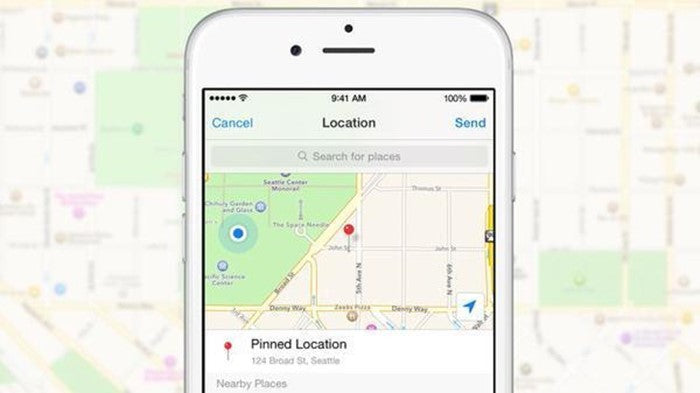
You have probably been out and about when a friend was trying to find you, leaving you struggling to give directions and explain how to get to your location, often without much success. Facebook Messenger, however, lets you share your exact location with anyone you choose.
This feature is available in Facebook Messenger on iPhone, iPad and Android, offering a quick and easy way to share your location with others, or even let them follow your movements along a route. This handy trick can make life easier and help keep you safe.
How to share your location
The first step is to open your conversation with the person you want to share your location with. At the bottom left of the screen, you will find the four-dot icon in the toolbar. Tap it, then select Location from the menu that appears. You will now have a few options. First, you can share any location you like simply by searching for its name. This option is particularly useful if you want to give someone directions to a place.
You can also share your live location, allowing others to see your movements on the map, by tapping Start Sharing Live Location. Your location will be shared for 60 minutes by default. If you want to stop sharing before the 60 minutes are up, tap «Stop Sharing Live Location».
If you want to share your static location, or a place you cannot find through search, you can tap the pin icon, move the map and tap Send Location once the pin is on the spot you want to share.
Using the methods above, recipients can see your live location on the map, or view the location you have shared in their preferred map app. This method is certainly much quicker and more effective than giving detailed directions and explaining how someone can find you, which can often be inaccurate or difficult for the other person to understand. TheFixers keep you up to date with all the latest technology news and provide information on anything that can make your everyday life easier. Browse all our related articles on our blog and discover the latest news from the world of technology.




Share:
How To: Install an app on iPhone that makes sure you walk correctly
Discover hidden iPhone settings that will make your life easier