
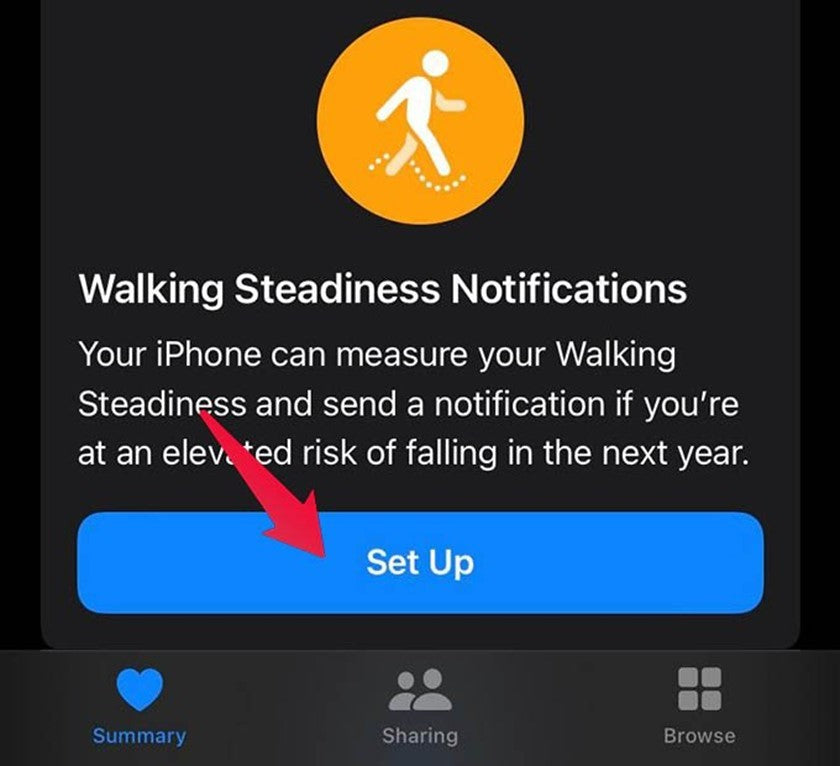
iOS 15, Apple's latest operating system, allows users to take and gather measurements related to their gait through the Health application and Walking Steadiness Notifications. The measurements taken involve gait asymmetry, support time, stride length, and speed. Subsequently, the application assesses and grades the stability of your walking.
To collect the necessary data, for a few days you should walk with your iPhone near your hip level and then receive a notification in which the "quality" of your walking stability is explained. This specific application is particularly useful, as it can basically detect a weakness and informs you about it, so that you can do exercises for training, strengthening, and balance, preventing any injury. You can also share the data collected by the application with your loved ones or your doctor.
How to install the application?
Initially, your iPhone should have the new iOS 15 system installed, otherwise, you will need to upgrade it. To do this, go to Settings> General> Software Update> iOS 15. With the Install Now button, you can proceed with the upgrade at that moment. However, if you have updated software, then this specific function is already available for you.
Provided that your software is updated, go to the Health application and in Summary scroll down to Walking Steadiness Notifications. Press Set Up and fill in information such as age, height, weight and enable notifications. Once you complete it press Done.
The application will need a few days to compile a history related to your walking, in order to receive the corresponding notifications. If you wish to check your status, go to the bottom right corner of the app to the option Browse> Mobility> Steadiness.
For the highest accuracy of the application's information, place your mobile in a trouser pocket, hold it attached to a belt, or leave it in a bag that reaches the height of your hips.
On TheFixers' blog you will be able to find an article in which we describe how to share Health app information with your doctor or loved ones. Of course, the person to whom you wish to share this specific material, must also possess an iPhone and have installed iOS 15. The information from this particular application can prove especially helpful for your doctor to proceed with an appropriate diagnosis related to walking, balance and any potential need for your exercise.




Share:
Find your next laptop at TheFixers' online shop! Browse the available models and choose the one that suits you!
How To: Share your location on Facebook Messenger