
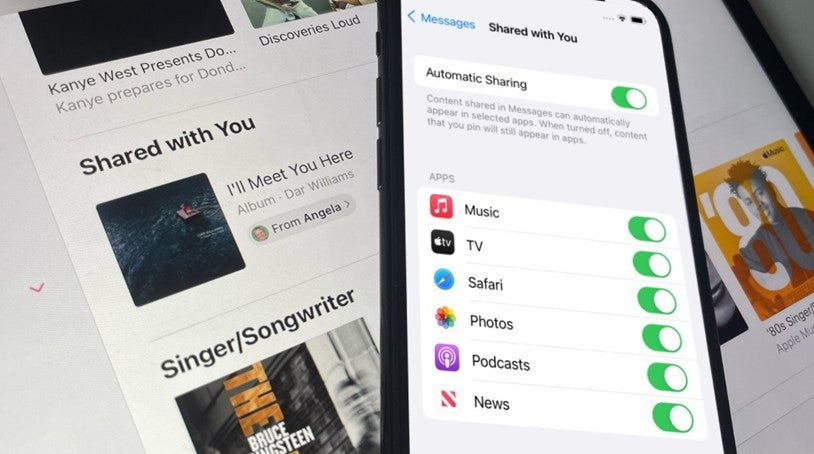
The Shared with you function can often be helpful, but for some, it may end up annoying, especially for apps like Messages, Safari, and Photos. Apple iOS 15 and iPadOS 15 have integrated iMessage with apps like Photos, Music, TV, and Safari. In these particular applications, you will find the Shared with you section where there are links and content that has been shared from iMessage.
If someone shares, for example, a link to an article, it will appear when you open the home page in Safari. The problem that arises is that it will not disappear even if you open the link. This specific function, therefore, can be particularly annoying and it makes sense that you want to disable it, either generally, or for individual applications.
To start with, go to the Settings of your iPhone or iPad. In the Messages section, select Shared with you. For the complete disablement of the function, disable the "Automatic sharing". If you want to disable it only for specific apps, you can disable the "Music", "TV", "Safari" or "Photos" applications.
Now, the Shared with you section will no longer exist in the particular application. However, you can reverse this option and reactivate the function through Settings> Messages> Shared with you, and re-enable Automatic Sharing for the particular application. This way, shared links and photos will remain in Messages.
In the TheFixers blog, you will find articles with tips and instructions on issues that concern you about your iPhone. Visit it for any Apple or Android issue.




Share:
Xiaomi 11 Lite 5G NE: The company's new mid-range phone is on its way
How To: How to invite Android users to a FaceTime call in iOS 15