
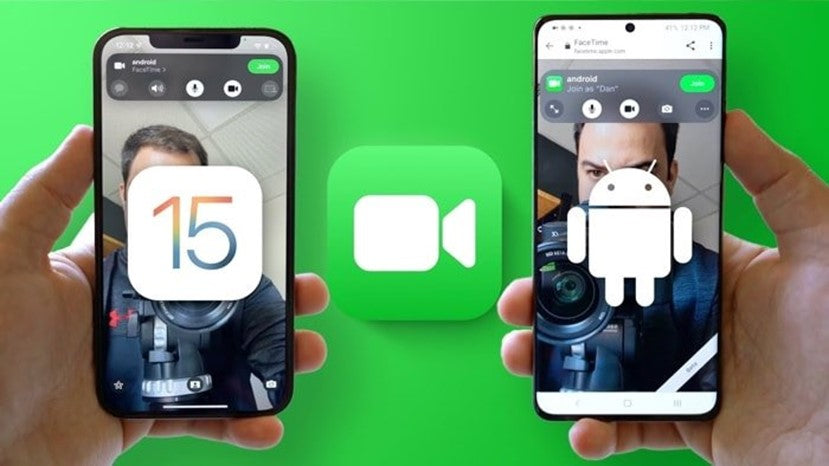
With the upgrade to iOS 15, iPhone users who make FaceTime calls gained new features and functionality in the app. They can now use Voice Isolation through the microphone mode, while Portrait mode lets them blur their background.
However, the most significant upgrade is FaceTime support for Android. Just like Zoom, Microsoft Teams, Google Meet and Cisco Webex, FaceTime now allows users to share links to join a call, regardless of the platform participants use.
This new feature allows friends, relatives and colleagues who are not Apple users to join FaceTime video or audio calls through a web browser, regardless of their device, including Windows computers and Android mobile phones. However, it is worth noting that these users can only accept and join a FaceTime call, not start one themselves.
How to invite Android users to a FaceTime call with iOS 15
First, open the FaceTime app on your iPhone and tap «Create Link». You can also give the video room a name by tapping «Add Name». Choose how you would like to share the call link (message, email, WhatsApp, Instagram) and select that option. Send the link and invite everyone you would like to join the call.
When your guests receive and open the link you sent them, they will be redirected to the website and asked to enter their name in a pop-up window. Participants will have access to all FaceTime controls, such as switching the camera On/Off, muting the microphone and switching between the front and rear cameras. However, they cannot use Memojis, filters, stickers and so on. TheFixers keep you up to date with the latest technology news and provide information on anything that could make your everyday life easier. Browse all the related articles on our blog and discover the latest news from the world of Apple.




Share:
How To: How to deactivate the "Shared with you" on iPhone and iPad
How did the Samsung Galaxy Z Flip3 perform in a durability test?